MartialMatch is affordable and easy to use tournament software for combat sport events.
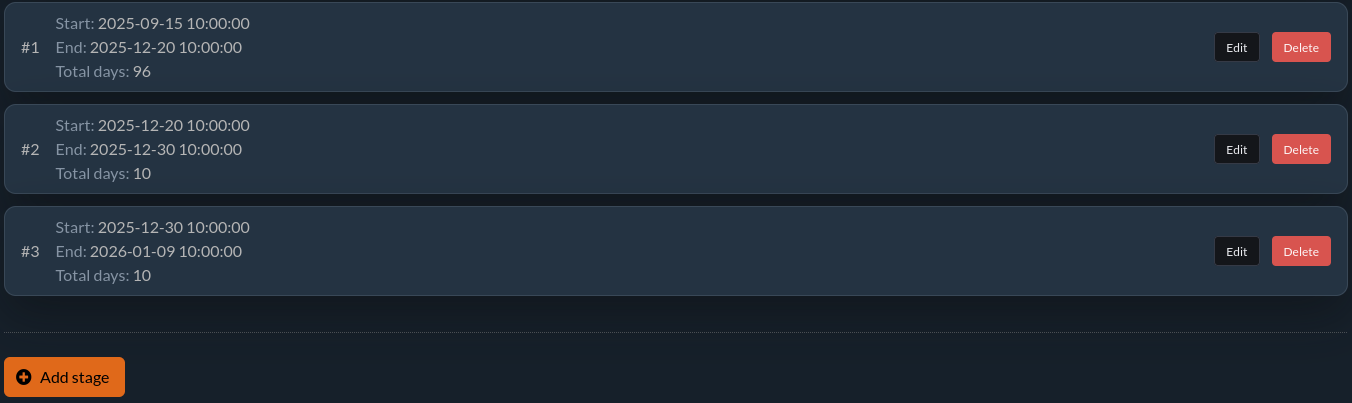
Managing registration stages allows for an organized and efficient registration process. This way, you can easily adjust the entry fee according to the registration date, encouraging participants to register earlier.
⚙️ Configuring registration stages
To configure registration stages, follow these steps:
- Go to the main page of your event in the MartialMach application.
- Select the Edit event data option.
- Navigate to the Registration options tab.
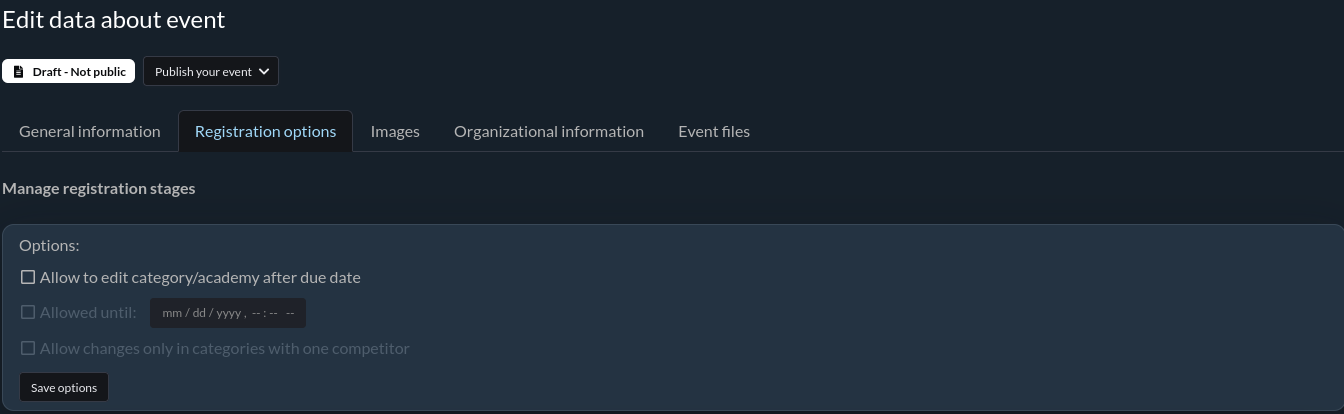
ℹ️ You can create any number of stages. For each stage, specify the start and end date.
Editing categories after the registration ends
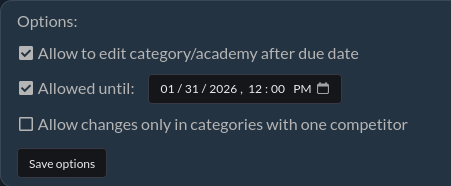
An additional option is to allow category/club changes after the registration deadline. Participants often request category changes if they are the only competitor in their weight class and want to avoid competing without a fight. Similarly, they may request to change their club affiliation after registration closes.
By enabling this option, participants can make these changes themselves without requiring organizer intervention. You need to select the appropriate checkbox and specify the date until when changes will be possible.
Limiting changes to single-competitor categories
You can further limit this to categories with a single competitor by selecting the Allow changes only in categories with one competitor checkbox. A category counts as having "one competitor" when it currently has exactly one active registration in the Candidate or Verified status - so this option lets solo competitors adjust their category or club, while categories with more than one competitor stay locked. Read more about statuses in What are the registration statuses?.
📖 Where are the registration stages visible?
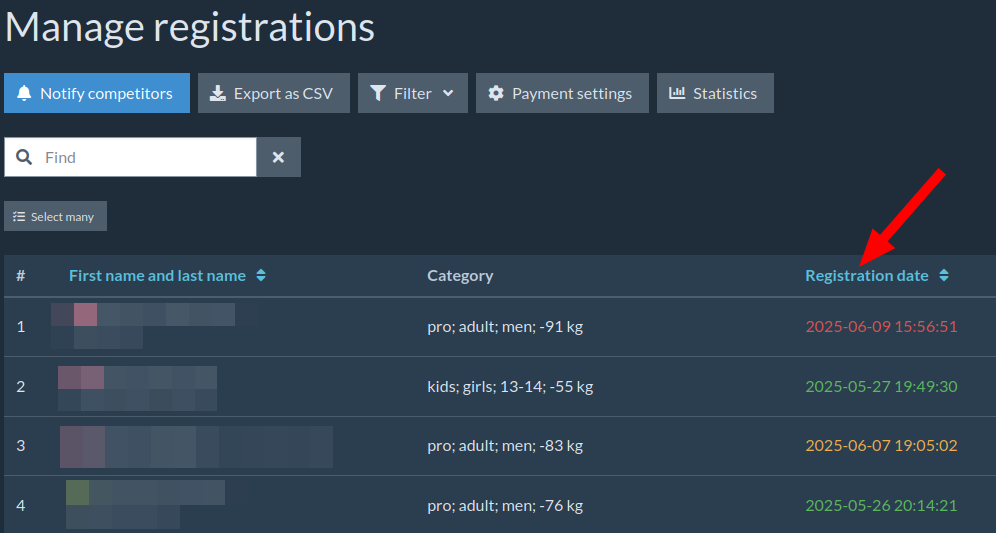
Registration stages are visible on the Manage registrations page in the Competitors menu.
The registration date of each competitor will be marked with a color corresponding to the specific registration stage:
- 🟩 Stage I
- 🟧 Stage II
- 🟥 Stage III and beyond
💲Starting fee is the amount that competitors must pay to register within a specific period - this information should be included in the Organizational information. You can also set the pricing in the panel. Once online payments are configured, all fees will be collected automatically. More information can be found in this article Configuration of online payment and pricing in the event.