MartialMatch is affordable and easy to use tournament software for combat sport events.
What is a discipline package?
A discipline package is a per-discipline configuration that defines two things: which scoreboard variant to use for fights in that discipline, and what bracket type to generate based on the number of competitors in a category. It replaces the old single global bracket configuration and gives you precise control over how each sport discipline is run at your event.
When to configure?
Discipline packages should be configured after registration closes and before you generate brackets. If any discipline detected in your event is unconfigured, a warning will appear on the Brackets page with a direct link to the Configure disciplines page. You will not be able to complete bulk bracket generation until all disciplines are configured.
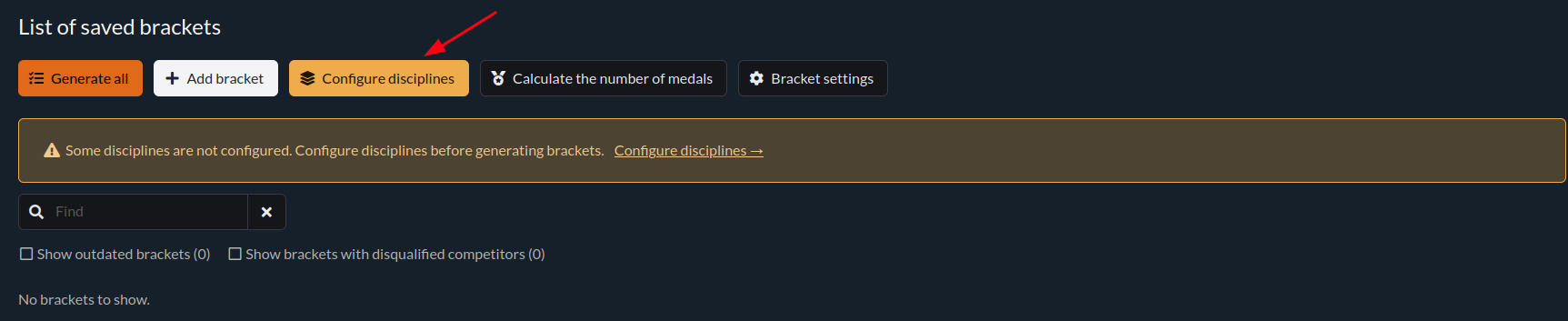
How to open Configure disciplines
- Go to the Brackets page (in the organizer panel under Management → Brackets).
- Click Configure disciplines in the toolbar.
The page lists all disciplines that are present in your event's category tree. Each entry shows the discipline name and its current configuration status.
Discipline package form — Default tab
Click a discipline tab to open its package form. The Default tab contains:
Scoreboard type
Select which scoreboard implementation to use for all fights in this discipline. For example, for BJJ you can choose between standard BJJ, BJJ Blue/Red, or BJJ Red/Blue.
This replaces the old scoreboard selector that was previously in the category settings wrench modal.

Bracket ranges
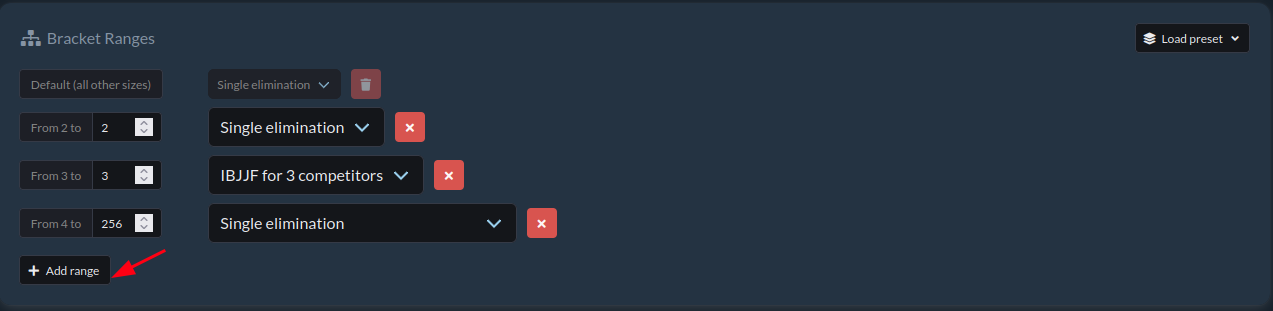
Define how many competitors in a category map to which bracket type. For example:
- 2–3 competitors → Round Robin
- 4+ competitors → Single Elimination
Click Add range to add a new row. Each row specifies a competitor count range and the bracket type to generate for that range.
Override groups (advanced)
Override groups allow you to apply different bracket rules to a specific subset of categories within the same discipline, while keeping the Default tab rules for all other categories.
To add an override group:
- Click the Add override button beside the tab bar.

- Select the categories this override applies to.
- Set the bracket ranges for this group.
By default the scoreboard variant is inherited from the Default tab. To override it for a specific group, check Override scoreboard for this category group in the override tab.
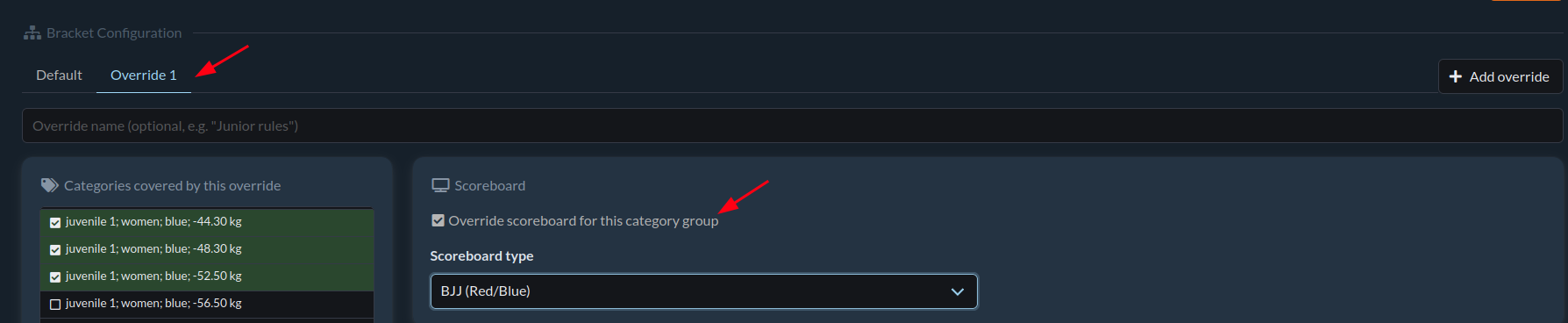
Click Save to persist all changes including override groups.
Orphaned packages
If a discipline is removed from the category tree after its package was already configured, the discipline package becomes "orphaned" — it is shown in the Configure disciplines list with a warning. Click the × on the orphaned discipline tag to remove it.
After configuration
Once all disciplines show a green Configured tag on the Configure disciplines page, return to the Brackets page and click Generate all to create brackets for all categories in your event.