MartialMatch is affordable and easy to use tournament software for combat sport events.
In the event Setup pricing section, you can create Discount coupons. This feature lets organizers offer targeted discounts to participants. Coupons include a discount value, usage limit, usage type and expiration date, making it easier to manage promotions.
Creating a discount coupon
To create a discount coupon, open the event management page and go to the Setup pricing tab. Click Discount coupons, then Add discount coupon.
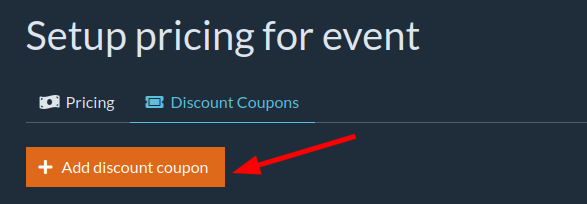
A form to create the coupon will appear:
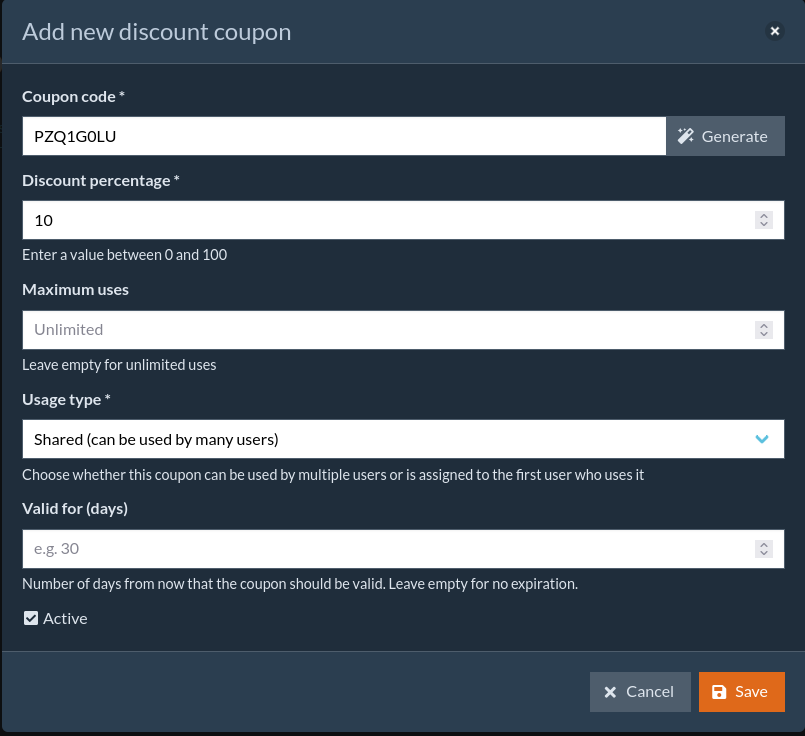
To generate a coupon code, click Generate.
Set the following options in the form:
- Discount percentage — discount value applied by the coupon.
- Maximum uses — how many times the coupon can be used. Leave blank for no limit.
- Usage type — choose whether the coupon can be used by multiple users or is assigned to the first user who uses it.
- Valid for (days) — number of days the coupon is valid from its creation date. Leave blank for no expiration.
To make the coupon active, check the Active option.
After completing the form, click Save. The new coupon will appear in the list of available discount coupons.
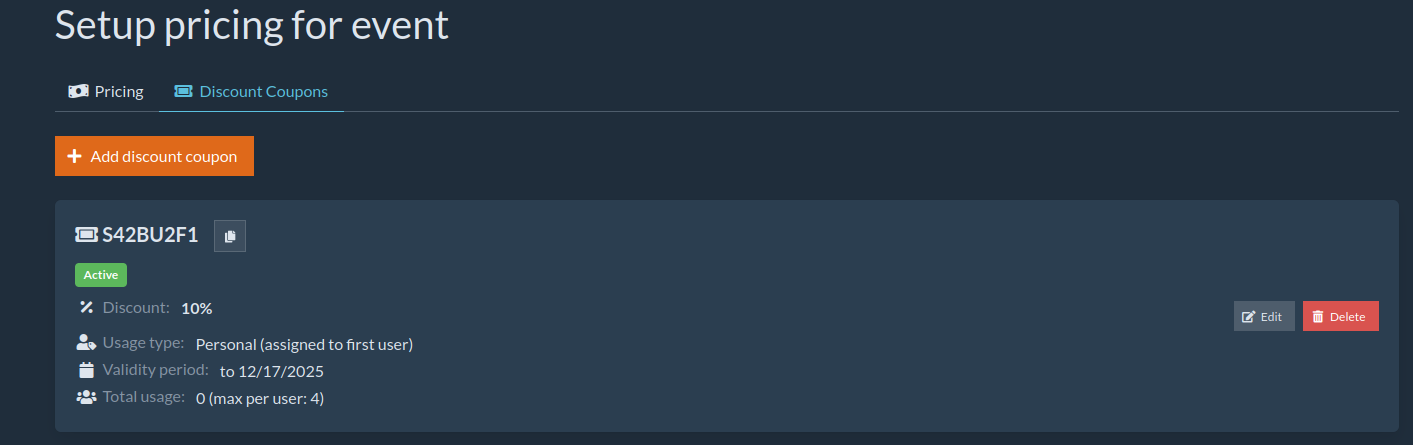
You can edit or delete coupons using the buttons on the right of the coupon list. Selected fields can be edited after creation, but the coupon code and usage type cannot be changed.
💡 Note: Coupons are not automatically sent by the platform. The organizer must manually provide the codes to participants using their own communication channels (E.g. e-mail or social media) or by using MartialMatch Notification Center.