MartialMatch is affordable and easy to use tournament software for combat sport events.

This guide explains how to integrate your event hosted on MartialMatch with Stripe payment system. This will ensure that competitors can make quick payments for participating in the event.
Configure your Stripe account
You must have a Stripe account. If you don't have one, create it at https://stripe.com/.
After logging in, open the Stripe dashboard. You should see a screen like this:
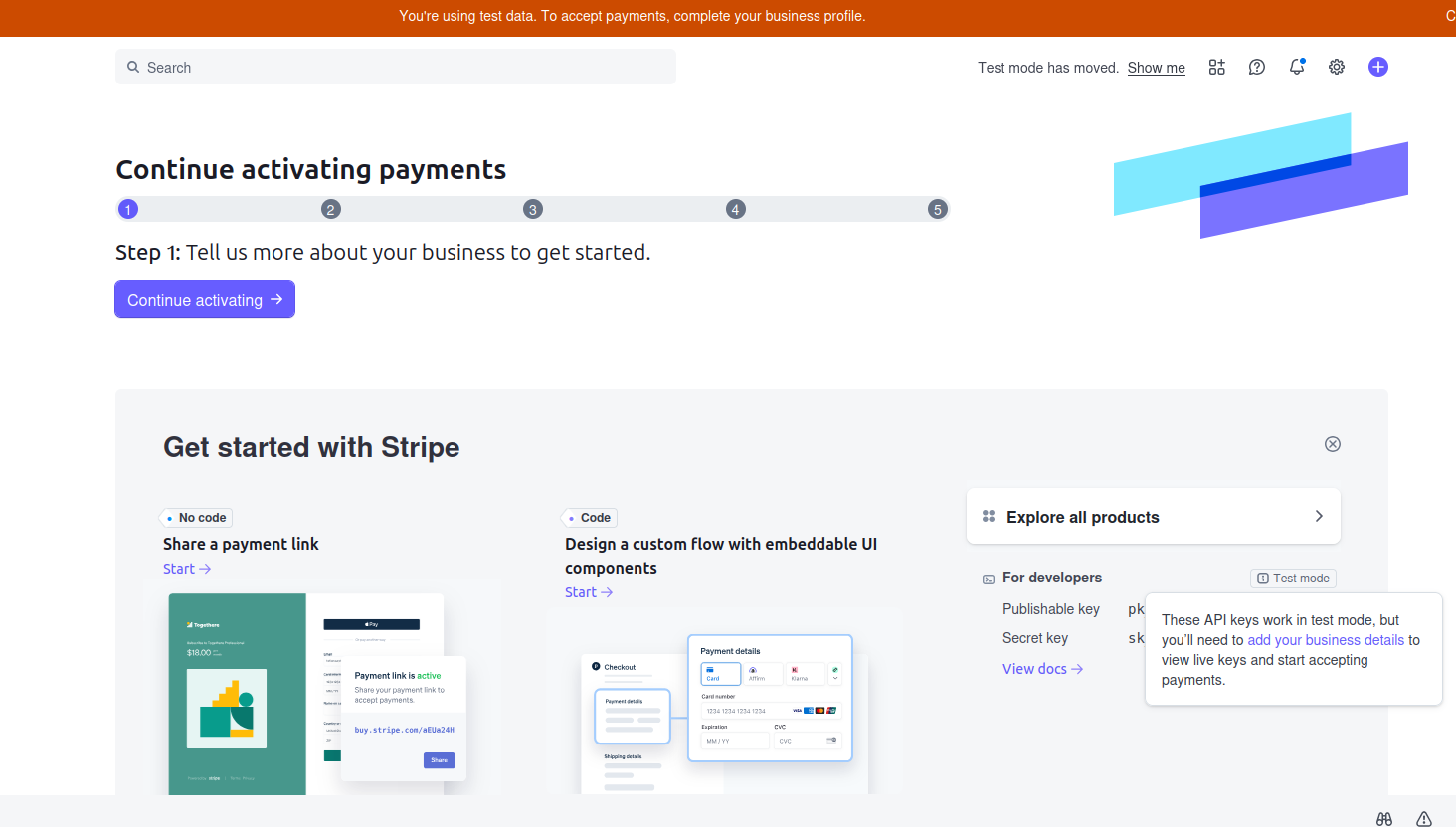
The only required step for MartialMatch is creating an API key. MartialMatch uses this key to authenticate requests to Stripe and to create or manage payments for your athletes.
Create an API key
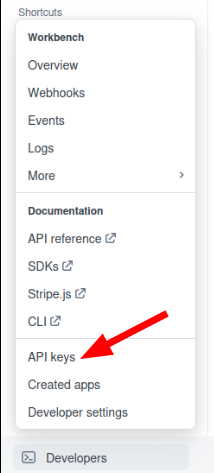
In the Stripe dashboard, open the Developers menu and select API keys.
Click Create restricted key. In the next window choose the intended usage for the key.
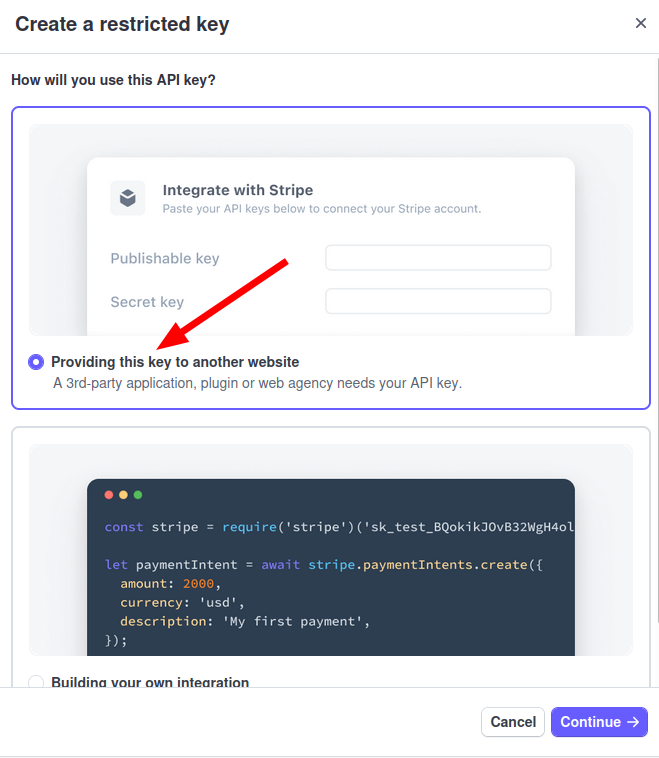
Select Providing this key to another website and click Continue.
On the next page complete the two fields:
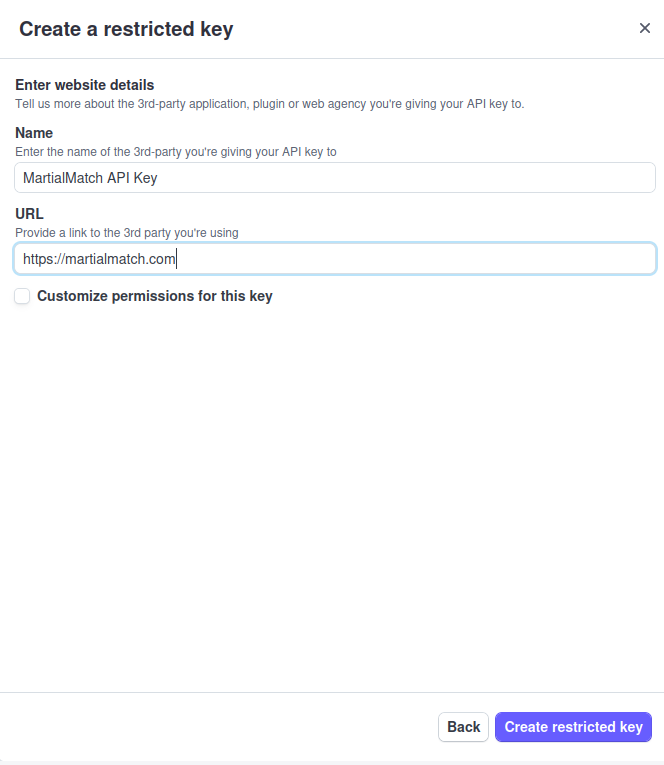
- Name of the third party: for example, MartialMatch API key.
- URL: enter
https://martialmatch.com/.
Click Create restricted key. Copy the generated key — you will paste it into MartialMatch.
Configure MartialMatch
In MartialMatch, open the management page for your event. From the top menu select Event → Setup pricing.

Click Payment gateway configuration. In the dialog that appears, choose Stripe and paste your API key. Give the configuration a name (for example, Stripe) so you can identify it later.
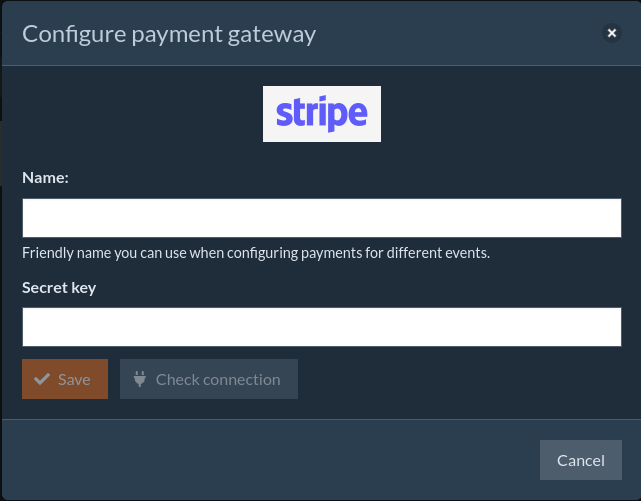
After filling the form:
- Click Check connection — the system will validate the API key and verify the connection to Stripe.
- Click Save to store the configuration.
ℹ️ MartialMatch encrypts your API key and stores it securely. The key is not kept in plain text.
After configuration you can define pricing for your event. For details on pricing setup, see Configure online payments for your event.