MartialMatch is affordable and easy to use tournament software for combat sport events.
In the MartialMatch system, federations are sports organizations that can manage all their events in one place. Each federation has its owner and members who can create and manage events belonging to that federation. You can belong to multiple federations at the same time. You have full control over who belongs to the federation and what permissions they have.
🛠️ How to create a federation?
When you create an organizer account, the system automatically creates a federation for you, using your name as the title. You can edit this federation and change its name at any time. When your federation is approved by our team, you will gain the ability to publish events in the system and create additional federations. Below is a description of how to manually create a new federation.
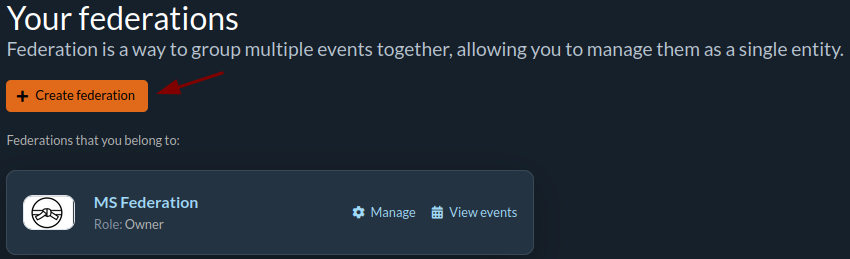
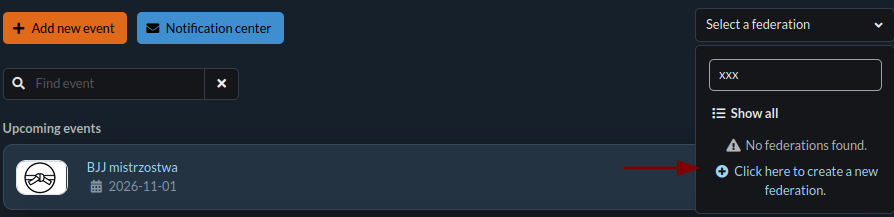
There are two ways to create a federation through the user menu in the upper right corner.
- Select the Your federations option. Then click the Create federation button.
- Select the Manage events option. In the federation selection window, you have the option to create a new federation.
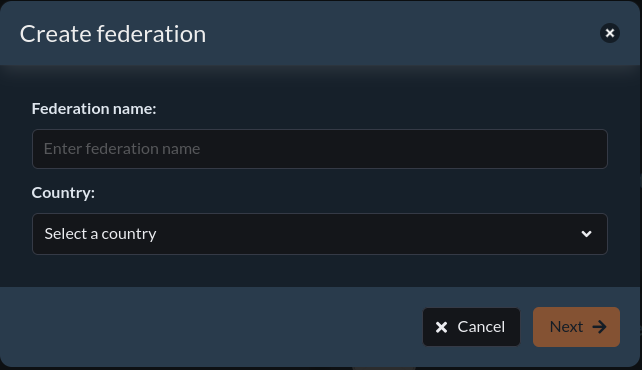
In the form, enter the name of the federation and select the country in which the federation will operate. Click Next to proceed to the next step.
Then fill out the form regarding the billing details.
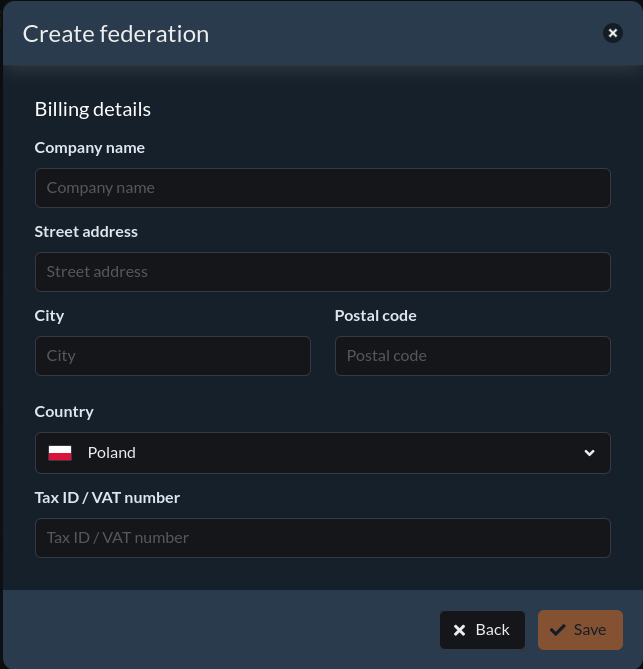
After filling in all the fields, click the Save button.
⚙️ Managing the federation
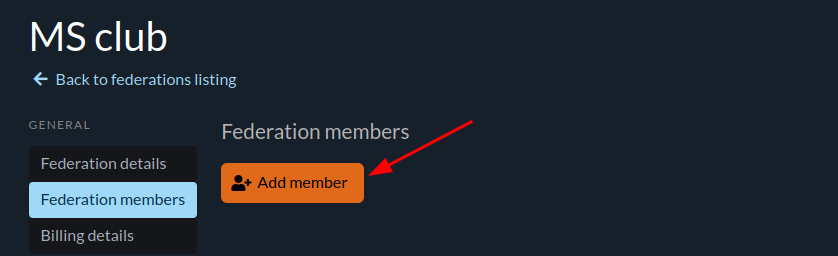
Managing federation members takes place through the Federation members tab in the federation management panel.
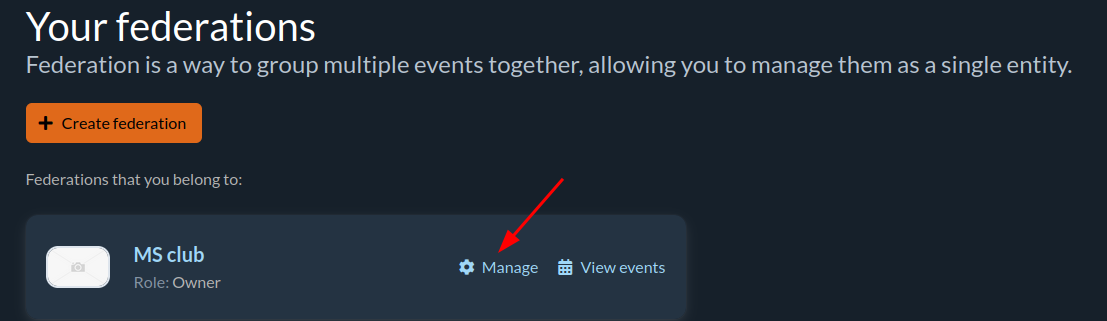
You can add new members, remove existing ones, and assign them appropriate roles. Each federation member can have one of four roles: owner, full organizer, technician, or staff. Each member must have an account registered in the MartialMatch system.
The staff role gives limited access, chosen per bundle (for example referee, verification desk or announcer), to all events of the federation, past, current and future. Add a referee, an announcer or a check-in desk person once at the federation level instead of inviting them to every event. See Staff roles and bundles for details.
⭐ Role description:
| Owner | Full organizer | Technician | Staff | |
|---|---|---|---|---|
| managing federation members | ✅ | ⛔ | ⛔ | ⛔ |
| changing federation data | ✅ | ⛔ | ⛔ | ⛔ |
| inviting organizers to events | ✅ | ✅ | ⛔ | ⛔ |
| creating technician accounts | ✅ | ✅ | ⛔ | ⛔ |
| pricing management | ✅ | ✅ | ⛔ | ⛔ |
| payment confirmation | ✅ | ✅ | ⛔ | ⛔ |
🎯 What each staff bundle allows
A staff member gets only the bundles you select. Bundles apply to every event of the federation: past, current and future.
| Bundle | What it allows |
|---|---|
| Referee | referee queue, scoreboard, starting and finishing fights, reverting results, finished fights list |
| Verification desk | viewing candidates and logs, verifying or disqualifying competitors, undoing verification decisions |
| Results and decoration | viewing podiums, exporting results to CSV, marking categories as decorated |
| Announcer | announcer board, calling competitors to the mat, mat list, finished fights list (read-only) |